






Three new features you can switch on today: 3D, the new renderer UI and general admission tables
We've been working on three larger features that are now available behind feature flags. That means they are off until you switch them on, so you can try them at your own pace before they become the default.
On January 11th, 2027, all three features will be rolled out to everyone.
This article explains what each feature does, and which options you have to configure it or opt out of it.
How feature flags work
You'll find the flags in your company settings, under New Features. Each feature has its own switch.
A few things are good to know:
- Flags are set per environment. Production and each sandbox have their own switch, so you can try a feature in a sandbox without touching production.
- Feature flags are off by default. Nothing changes until you switch a feature on.
- The flags are rolled out on January 11th, 2027. On that date the features are enabled for everyone and the switches disappear. The per-feature options described below stay available after that, so use the time until then to try the features and set them up the way you want.
3D
What it does
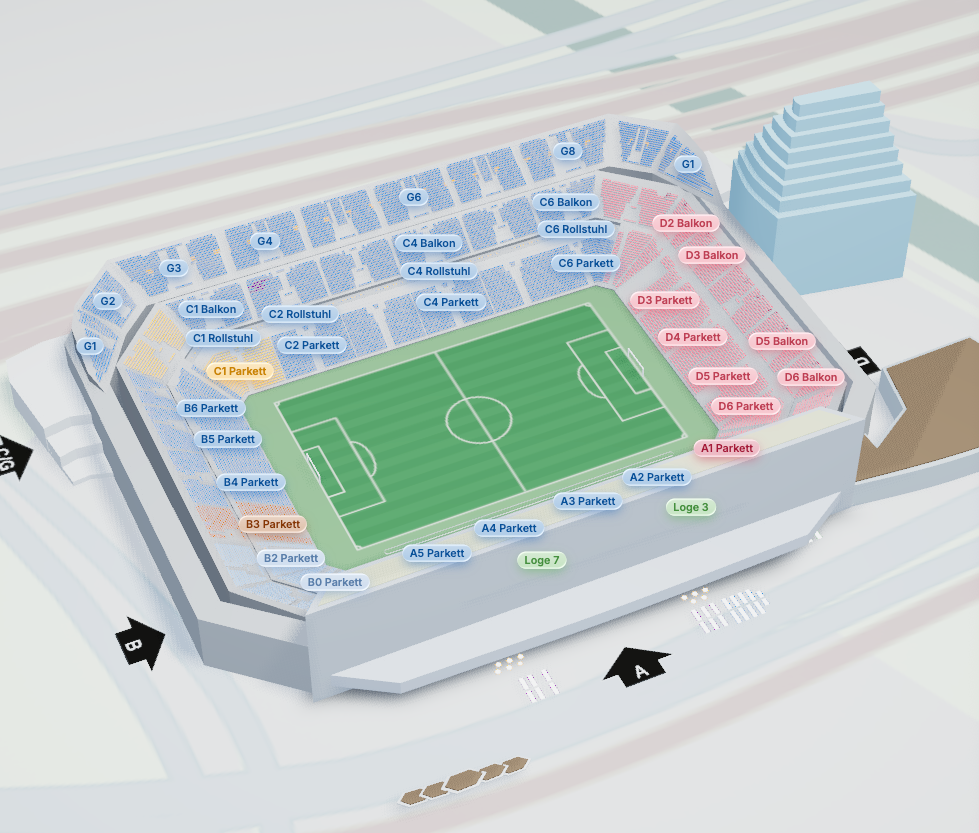
Ticket buyers pick their seats in a 3D model of your venue, and can see the view from a seat before selecting it. They can switch between 2D and 3D, and devices that can't handle 3D get the 2D chart automatically.
The flag only adds the 3D tools to the Designer. A chart goes live in 3D once you've drawn foundations around its sections and ticked Allow 3D seat picking.
Opting out
You opt out of 3D through the features parameter of the embedded Designer. Disable the 3D feature, and your users can't convert charts to 3D:
new seatsio.SeatingChartDesigner({
    // ...
    features: {
        disabled: ['3D']
    }
}).render();
See the features documentation for the details, and the 3D charts documentation for everything else you can configure.
New renderer UI
What it does
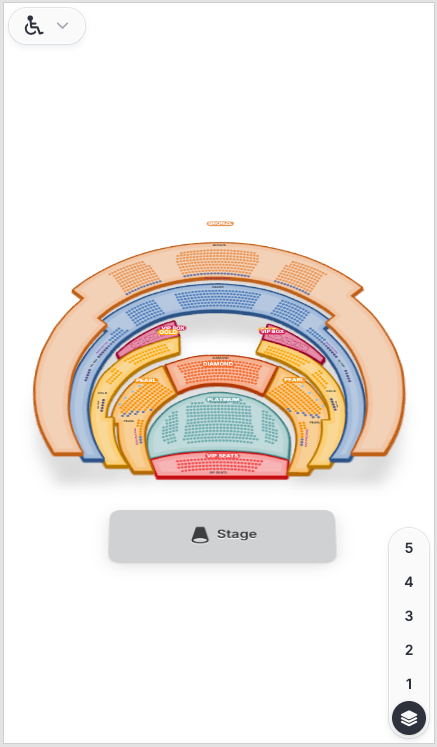
A redesign of the controls, panels and dialogs around the chart, for both 2D and 3D. The controls float on top of the chart, and on narrow screens the filters collapse into a single button.
Your options
Round or square. The new UI follows the style settings you may already be passing to the renderer:
style.cornerRadiussets the shape of panels and dialogs.style.buttonShapesets the shape of buttons, toolbars, tabs and dropdowns.
Both accept 'round' (the default) or 'square'. You can combine them, for example square panels with round buttons. See the style documentation for the details.
new seatsio.SeatingChart({
    // ...
    style: {
        cornerRadius: 'square',
        buttonShape: 'square'
    }
}).render();
Opting out. Until January 11th, 2027, you can keep the current UI by leaving the feature flag off. The flag applies to a whole environment: there is no renderer option to use the old UI for one chart and the new UI for another. After the rollout, the new UI replaces the current one.
General admission tables
What it does
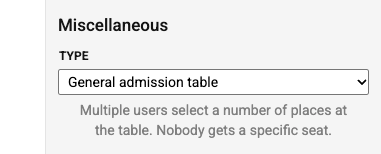
A new table type: several ticket buyers each book a number of places at the same table, and nobody gets a specific seat. It works like a general admission area drawn as a table.
With the flag on, General admission table appears in the Type dropdown of a table in the Designer.
For integrators
- The object keeps
objectType: 'Table'. ItstableTypeis'generalAdmission'. - You book it with a quantity, the same way as a general admission area. The seats of the table can't be booked individually.
- Best available treats it like a general admission area.
- You can mark a number of places on the table as not for sale.
Opting out
To hide the type in your embedded Designer, disable the tables.generalAdmission feature:
new seatsio.SeatingChartDesigner({
    // ...
    features: {
        disabled: ['tables.generalAdmission']
    }
}).render();
See the features documentation for the details.
Questions?
Try the features in a sandbox first, and let us know what you think. If you run into anything, get in touch with our support team.